Point your camera at a bookshelf.
Get a library, not a mess.
HomeLib reads every spine in a shelf photo, looks each book up automatically, and builds a searchable, organized catalog of what you own — covers, genres, and details included.
One app, from "where did I put that book" to a real catalog
Built for people who actually own books — not just an inventory list, a system for living with them.
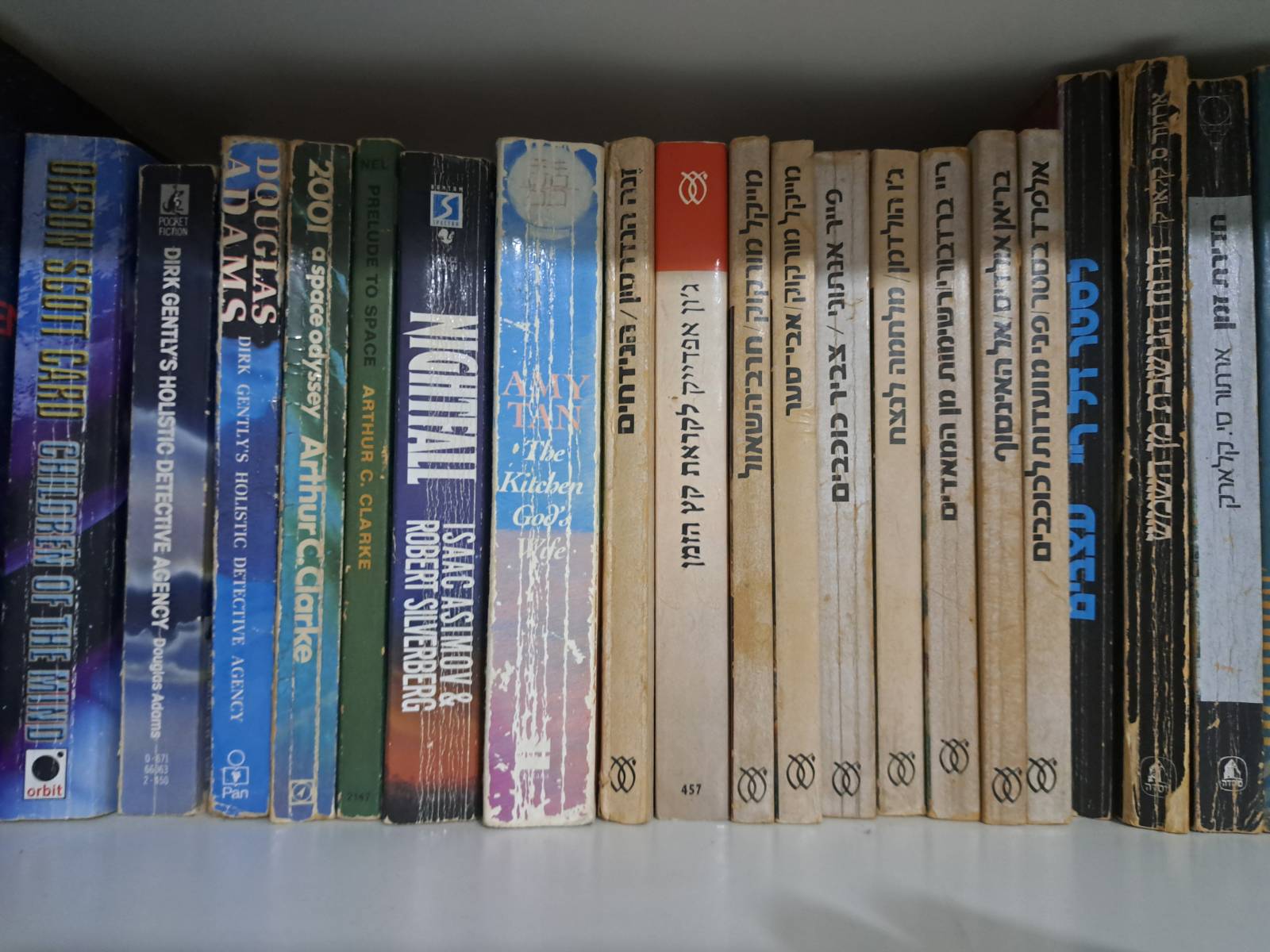
Snap a shelf, get a shelf-full of books
Take a photo or import one — AI/OCR reads every spine in the frame, no typing required.
Hebrew & English, side by side
Mixed-language shelves are handled natively — no separate app, no manual switching.
Auto-enriched details
Covers, genres, page counts, and descriptions are filled in automatically from Google Books.
Never lose a loaned book again
Track who borrowed what and when, right on the book's page.
Ratings, notes & tags
Rate what you've read, jot personal notes, and organize your own way with custom tags and genres.
A wish list that's actually useful
Save books you want to find or buy, sortable by title, author, year or date added.
Spot duplicates instantly
Bought the same book twice? HomeLib finds the doubles so you don't have to.
Backup, export & import
Full CSV export/import (Goodreads-compatible) and one-tap backup, so your catalog is always yours.
Private by design
Your library lives on your device. Any API keys you add are encrypted, never stored in the cloud.
How HomeLib works
Four steps, most of it automatic.
Scan a shelf
Use your camera or pick a photo from your gallery — one shelf at a time, or a whole bookcase.
AI reads the spines
On-device OCR plus optional AI vision (Gemini, GPT, or Claude) identify every title and author.
Review & confirm
A quick editable checklist lets you fix anything before it's added — you're always in control.
Browse your library
Search, filter, group by author or genre, and enjoy a catalog that finally matches your shelves.

Your shelves don't read in one language. Neither does HomeLib.
Most scanning apps choke the moment a Hebrew spine shows up next to an English one. HomeLib was built around that exact problem from day one — detecting the script automatically and routing each book through the right recognition engine.
- Automatic Hebrew / English detection per book
- Right-to-left titles and authors, displayed correctly
- Filter your library by language in one tap

Group, sort, and filter until it's exactly your shelf — just searchable
Whether you've got a whole shelf of one author or a chaotic mix of genres, HomeLib gives you the views to make sense of it: group by author, genre, publisher, or year, then sort however feels natural.
- Group by author, genre, publisher, or year
- Sort by title or last name — the way a real shelf would
- Instant search across your whole collection
Your library. Your device. Your data.
HomeLib stores your catalog locally and encrypts any API keys you choose to add. Nothing is uploaded unless a lookup needs it — and it's never sold or shared.
Ready to see what's actually on your shelves?
HomeLib is being polished for release. Reach out for early access, or to share feedback on what your home library needs.